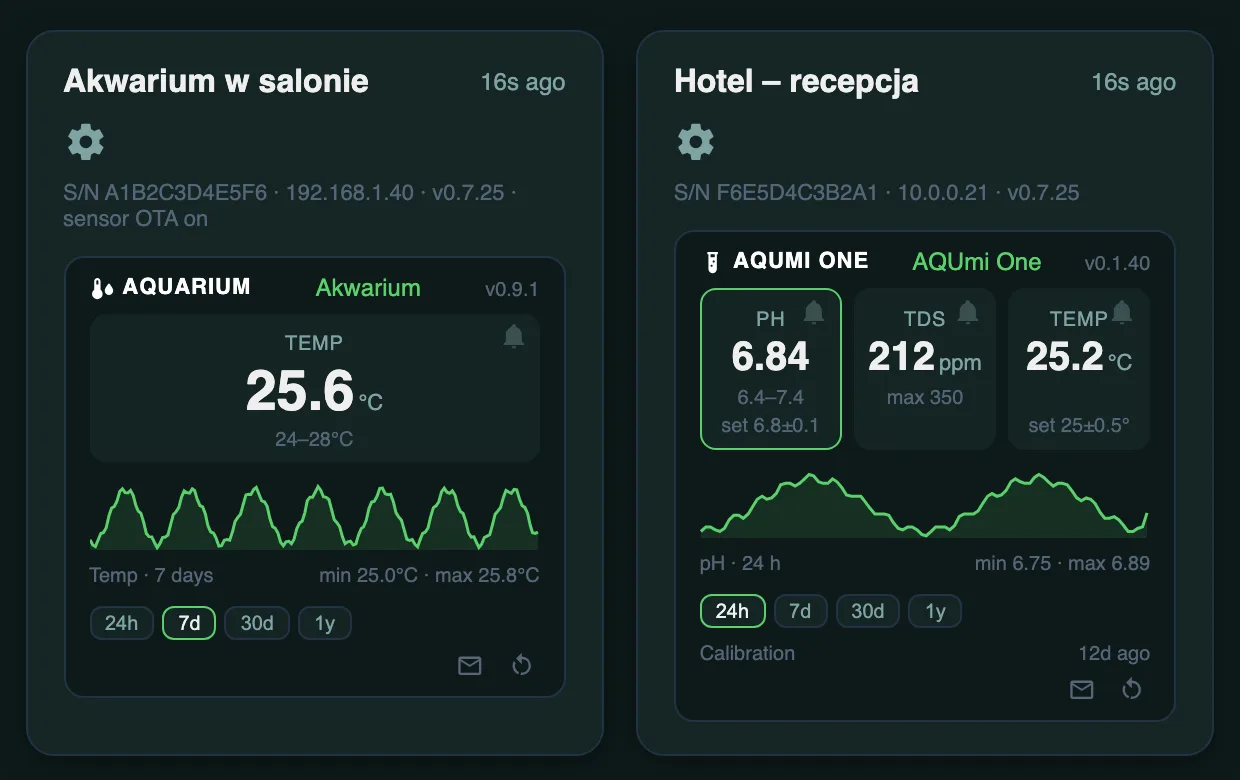
A pH and TDS sensor for aquariums — constantly measures water quality and warns you before something goes wrong. Check the readings on the AQUmi DisplayOne screen or remotely in the AQUmi Portal.
A pH probe and a TDS probe (conductivity — overall dissolved solids/hardness) measured continuously, with temperature compensation when a temperature probe is connected — so the pH reading stays accurate whatever the time of day or season.
AQUmi One has no display of its own — instead, enter its IP address in the AQUmi DisplayOne panel and the pH, TDS and temperature readings appear on the DisplayOne screen and in its web panel, with separate, adjustable alarm limits for pH, TDS and temperature.
Home Assistant over MQTT with entity auto-discovery (pH, TDS, temperature, IP address, firmware version) — optional, alongside the DisplayOne integration.
With no AQUmi DisplayOne nearby, the device can send its readings to the AQUmi Portal by itself — just turn the option on in the device panel; once we approve it, you see it in your account. Alarm limits for pH, TDS and temperature, and the target pH and temperature, are set there remotely, without touching the device; the device can also be restarted from the portal. On the Pro plan the portal sends email or push alerts and reminds you when the recommended time since the last pH probe calibration has passed.
pH probe calibration and settings changes (WiFi, MQTT) are done in the device's own web panel, protected by an administrator password.
| Measurement | pH and TDS, with temperature compensation (optional temperature probe) |
|---|---|
| Viewing data | on AQUmi DisplayOne (on its screen) or in the AQUmi Portal (remotely, in the cloud) — the device has no display of its own |
| Connectivity | WiFi 2.4 GHz |
| Power | 5 V, continuous operation |
| Integrations | MQTT / Home Assistant (auto-discovery), optional |
| Updates | automatic, over the network (OTA) |
| Access | its own web panel, changes protected by an administrator password |
AQUmi One has no screen, so choose one of two ways to view it (or both at once). With AQUmi DisplayOne: unlike TempOne, AQUmi One doesn't pair automatically — just enter its IP address in the DisplayOne panel, under "AQUmi One on this network". Without DisplayOne: turn on sending to the AQUmi Portal in the device panel and let us know — once approved, the readings are visible in your portal account, from anywhere. Details in the manual.
Yes — it is a standalone device with its own web panel; it measures and reports independently of DisplayOne. It has no screen, so to see the readings live you need either an AQUmi DisplayOne nearby or the remote AQUmi Portal.
Yes — the device can send its readings to the AQUmi Portal in the cloud by itself, independently of DisplayOne. Once you turn sending on, let us know — we approve the device and assign it to your account; from then on live readings and calibration reminders are visible remotely, from anywhere.
Yes, in two ways — with an AQUmi DisplayOne connected, in the DisplayOne panel; without DisplayOne, remotely in the AQUmi Portal. The defaults are deliberately wide so there are no false alarms before you set them for your tank.
We recommend calibrating the pH probe regularly (from the device's web panel) — how often depends on the probe and the conditions in the aquarium.
No — the current version only measures and reports pH and TDS. It does not control dosing or any other equipment.